Speed up pro-code apps with your network log
Troubleshoot long loading times with your browser's network log
Pro-code apps can take a long time to load, and the cause isn’t always obvious. Long loading times can stem from a few issues. In this article, I'm going to cover how to pinpoint issues caused by your scripts using your browser's built-in network log.
Capture the network log
- Open your pro-code app in Domo. (This can be the card itself, or the dashboard or app it's embedded in.)
- Open DevTools and select the "Network" tab. There are multiple ways to open DevTools:
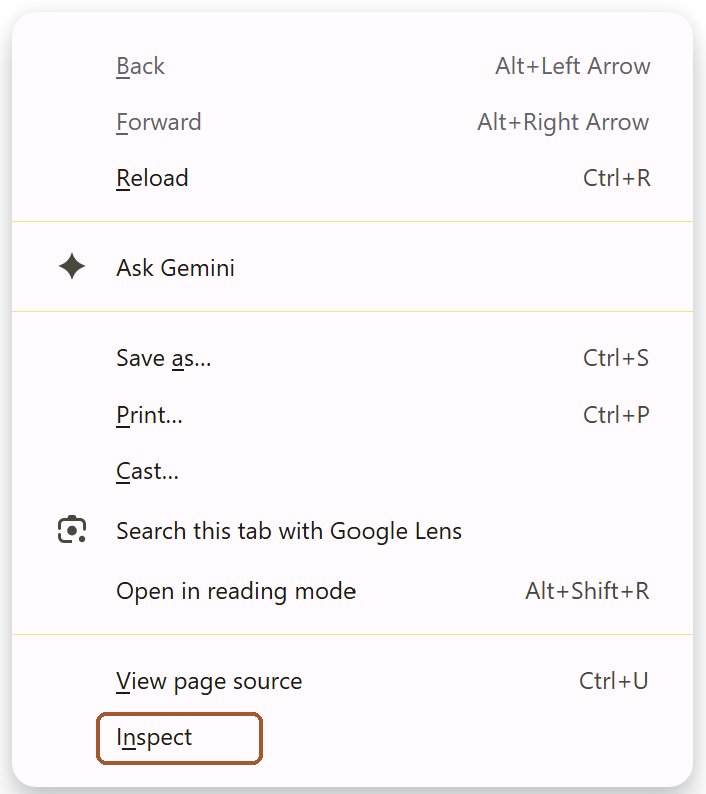
- Right click in the browser and select "Inspect"
- F12
- Ctrl+Shift+I on Windows
- Cmd+Option+I on Mac
- Clear the log if anything has already been recorded. (Select the clear button at the top of the Network tab.)
- Hard refresh the page with Ctrl+Shift+R (Cmd+Shift+R on Mac).
- Allow the page to load. Ideally, give it time to load completely so the log can track all the scripts running in your app. However, if your app takes a couple minutes or more to load, it's usually fine to stop the log early.
- Pause and download the network log. In Chrome, select the stop button to stop recording, then the Export HAR button at the top of the Network tab.
If the app never finishes loading and just sits on a loading screen, you can still use the log. Stop recording, download it and upload it anyway. It usually has enough information about what your scripts are doing.
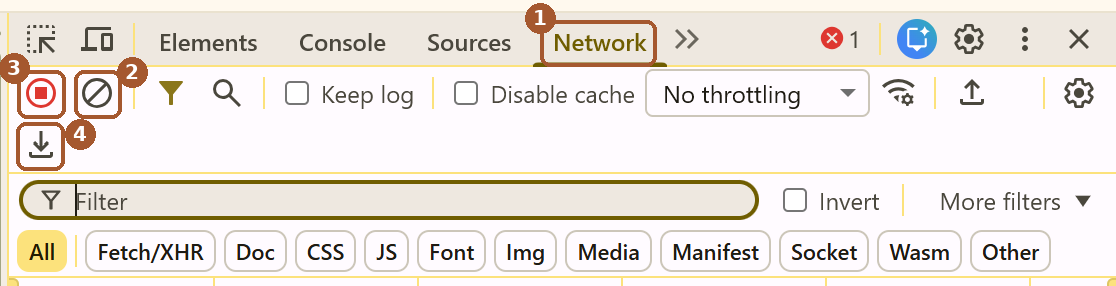
- Network tab (step 2)
- Clear (step 3)
- Stop recording (step 6)
- Export HAR (step 6)
Give it to Claude
Upload the file to Claude (or your preferred LLM), ask it to identify what is causing the long loading times. Copy the following prompt to get started:
Attached is a network log from my Domo pro-code app. Find out what is causing long loading times, and suggest fixes. Prioritize the fixes that will save the most time.Domo loading times will affect the app
When you open your pro-code app, Domo has additional resources that must load along with the app. Those can't be controlled through the app scripts, so there will always be a short window of time required to load those.